What you see after opening
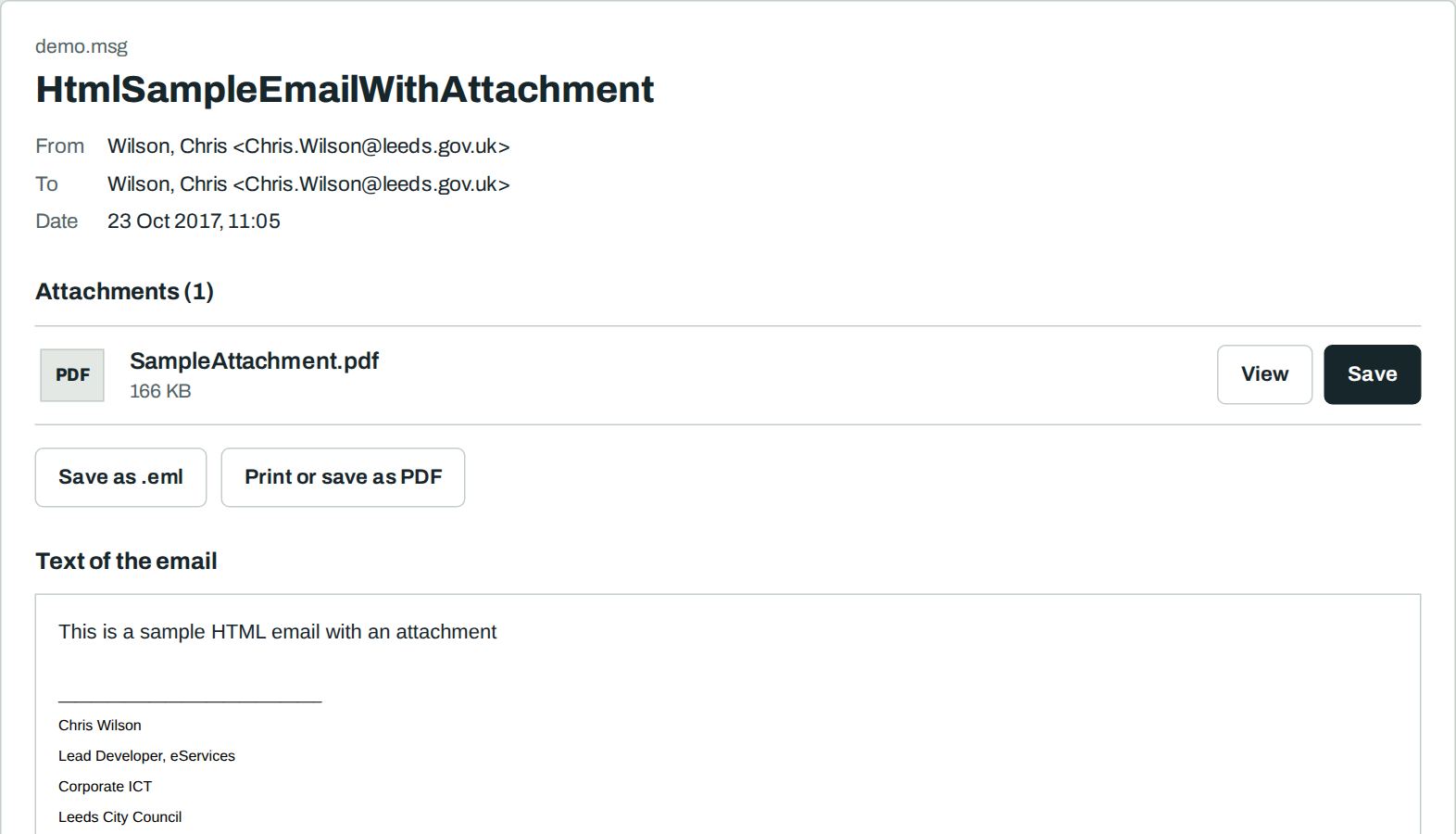
What an .msg file is
Outlook saves one email as an .msg file. It holds the sender, recipients, date, subject, text and all attachments. Such files often arrive as attachments or sit in archives.
Without Outlook the file usually does not open. On a Mac, an iPhone and Linux the right program is missing.
How to open an .msg file
- Drop the .msg file on the letter slot above, or select “Select file”.
- Read the email on the page.
- Select “Save” next to each attachment.
Convert .msg to .eml or PDF
“Save as .eml” converts the .msg file to the standard .eml format. Attachments stay inside. “Print or save as PDF” gives you a PDF of the email.
Open .msg on Windows, Mac, iPhone and Android
- Windows without Outlook: Windows has no own program for .msg. Open the file on this page in Edge or Chrome.
- Mac: Apple Mail does not open .msg files. Open the file here in Safari. Step-by-step guide for the Mac.
- iPhone and iPad: Touch and hold the attachment and select “Save to Files”. Open this page in Safari and select the file.
- Android: Download the attachment. Open this page in Chrome and select the file in “Downloads”.
If the .msg file does not open
- The file has only a few bytes. The download was cut. Download the attachment again.
- Attachments are missing. Outlook can send a link to OneDrive or SharePoint instead of the file. Then the file is not in the .msg. Ask the sender for the file.
- You see a winmail.dat instead of attachments. Open it on the winmail.dat page.
Nothing leaves your device
Frequently asked questions
Is it free?
Yes. You need no account and no sign-up. There is no limit on the number or size of files.
Is my file uploaded?
No. Your browser reads the file on your device. Our server never sees it. You can check this: load the page, switch off the internet, then open the file. It still works.
Do I need Outlook to read an .msg file?
No. This page shows sender, recipients, date, text and attachments in any current browser.
Can I open the email in Apple Mail or Thunderbird?
Yes. Select “Save as .eml”. Apple Mail, Thunderbird and most other mail programs open the .eml file with a double-click.
Are images in the email shown?
Images inside the file, yes. Images from the internet are blocked. So the sender does not learn that you opened the email.
Can I open .msg files in Gmail?
No. Gmail does not show the content of an .msg attachment. Download the attachment and drop it on this page.
Can I convert an .msg file to PDF?
Yes. Open the file, select “Print or save as PDF” and choose “Save as PDF” in the print window.
What can I do if an .msg file does not open?
Download the file again. A cut download is the most common reason. If it still fails, ask the sender to send the email as .eml or to forward it.